A project status report that updates itself.
A small Excel template for following projects, with a short guide and a one-page cheat sheet. Type your projects in one sheet, and the dashboard shows where each one stands.
Free. No sign-up, no email. Excel file, no macros.
What is in the download
Three files in each language.
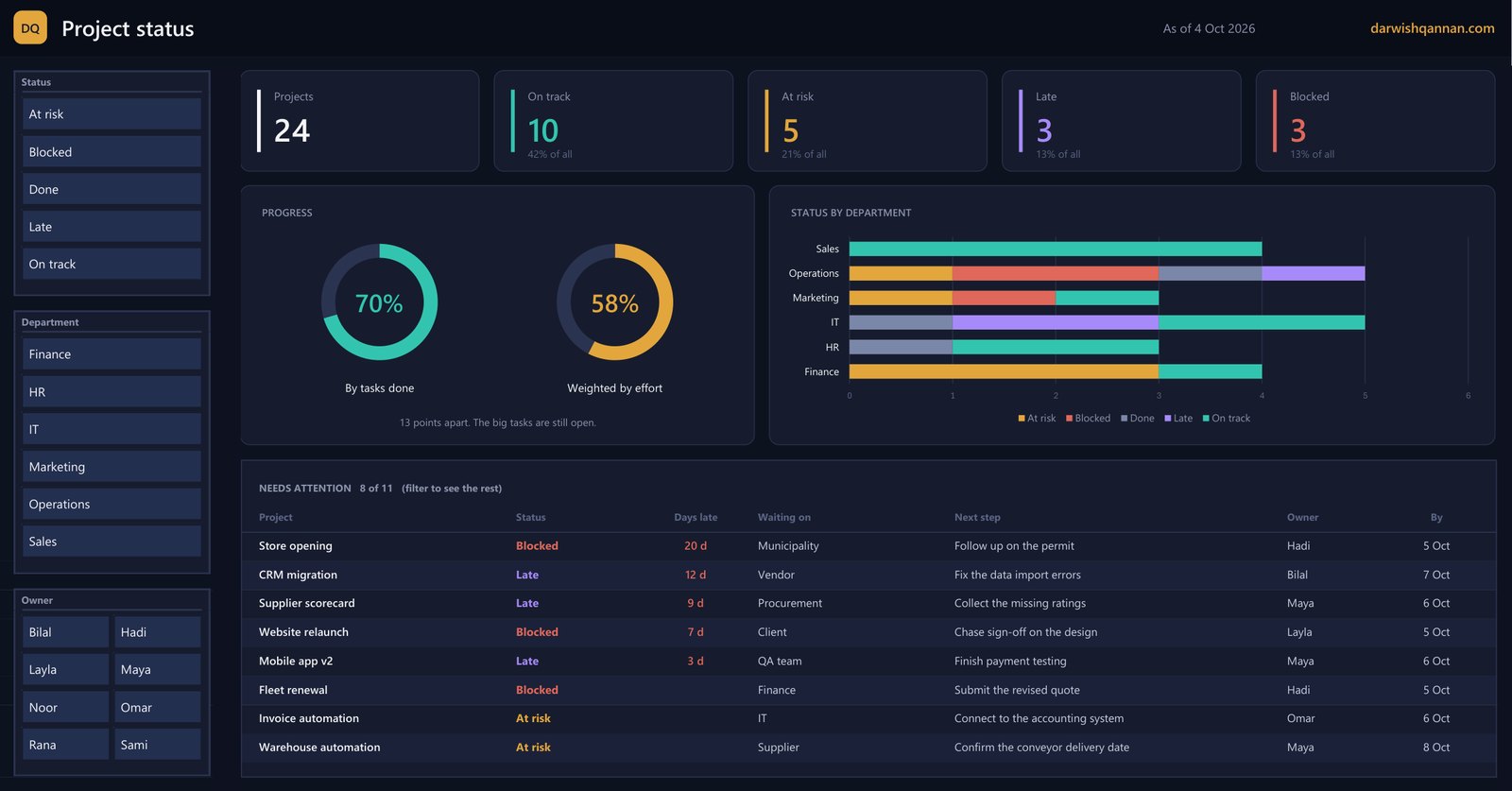
Excel template
A project list, a dashboard with slicers, and a settings sheet. The status of each project is worked out by rules, not typed.

Short guide
Nine pages: the two ways to count progress, the five statuses, how to set it up, and how to run the weekly meeting from it.
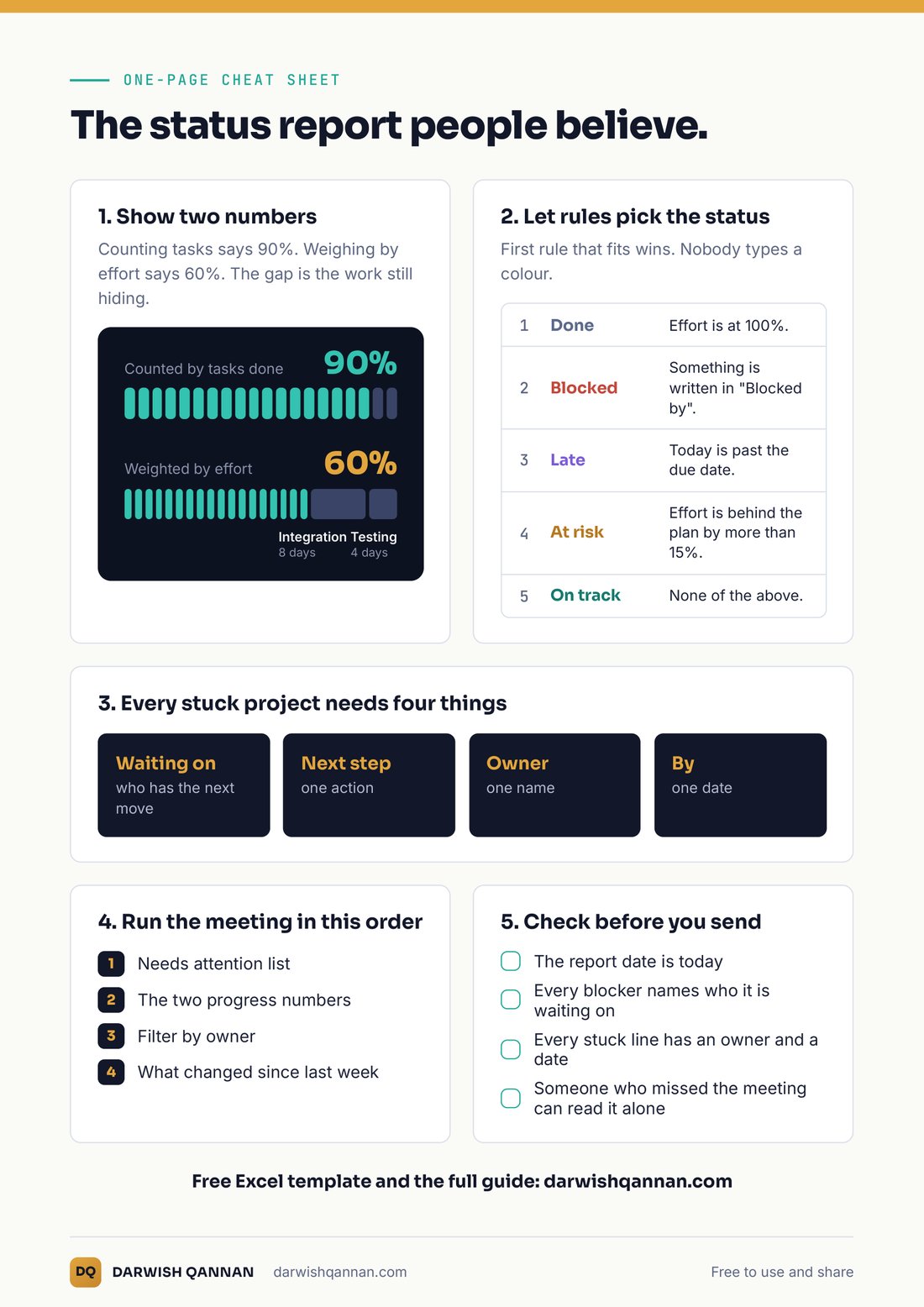
Cheat sheet
One page to print and keep next to you when you prepare the report.
What the dashboard shows
Three steps
Add your projects
Replace the example rows in the Projects sheet. Type in the white columns only.
Set the report date
On the Settings sheet. Do this before each report.
Refresh
Press Data, then Refresh All, and open the Dashboard.
Made and tested in Excel for Windows (Microsoft 365). It has not been tested on Mac or in Excel for the web. The example projects are made up. It is a simple tracker, not a replacement for a full project management tool.